Document Form Folder Fields
/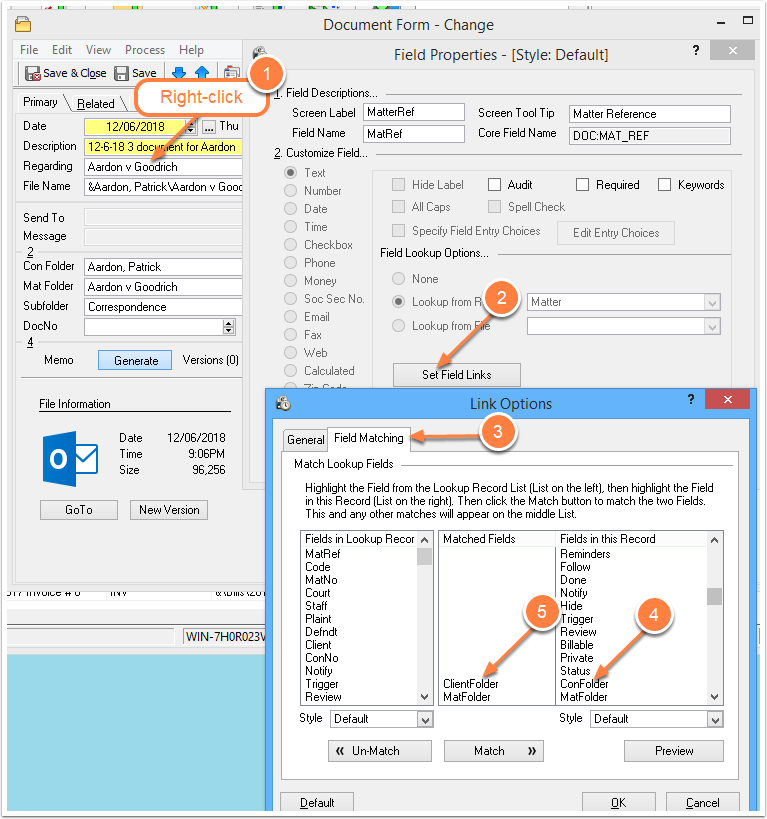
You can customize the Time Matters document management system to specify Client and Matter field names that differ from the default choices: Contact Name and Matter Name.
Read MoreGet more out of your Time Matters software with support from Wells Anderson, a Time Matters expert. Have a problem? Need to upgrade? Call or write me.
You can customize the Time Matters document management system to specify Client and Matter field names that differ from the default choices: Contact Name and Matter Name.
Read MoreIf you are replacing the computer or drive storing the Document folders used by Time Matters, you will need to make some changes. On every user computer, you will need to change a setting in Time Matters File Locations.
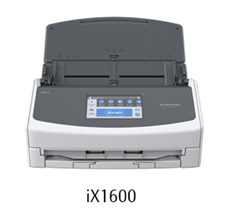
Read MoreThe affordable Fujitsu ScanSnap 1600 and ScanSnap 1400 make quick work of converting and organizing paper of all sorts.
Read MoreWhen you have Document records in Time Matters, you can easily send a Document link to a co-worker.
TM Messenger makes it easy for you to let someone know that a document is ready for review, mailing or another action.
This PDF file shows you step-by-step how to send, receive and use document links via TM Messenger:
Find posts by Category:
Is this you? Just scratching the surface of your law office software? Want to be more organized, more efficient? We can assist you with getting much more out of law practice management software. Using Time Matters? We have 20+ years of experience customizing it. Want legal cloud apps? We know them well.

You can rely on the advice and information we give you. You benefit from our broad knowledge and deep experience with law practice management applications.
Wells Anderson
952.922.1120
Send us an email...
You can have two PDF programs on your computer. Use free Acrobat Reader with its TM Save button to open and save PDF files into Time Matter. Use a third party PDF app, saving a lot of money!, when you need to apply redactions, Bates numbers or other changes.
You may have contact information and other records in Time Matters that you would like to preserve for future use. You can copy all your Time Matters records into Excel spreadsheets following these illustrated, step-by-step instructions.
Setting up the incremental backup of Word documents can protect you from your own errors and computer failures. Depending on your software and retention settings…